Copy as usual
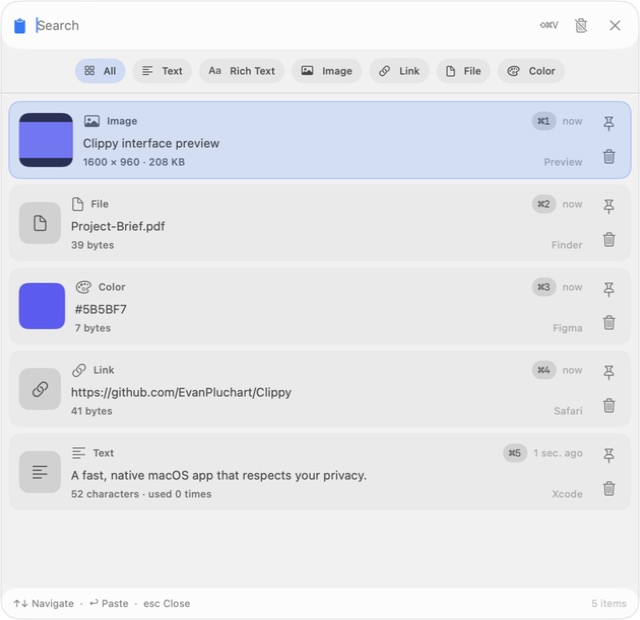
Text, links, images, or files: Clippy quietly remembers your clipboard history.
Find, search, and paste anything you copied in an instant. Without leaving your keyboard—and without sending your data anywhere.
Free and open source · Requires macOS 14 or later
One move. That’s it.
Clippy stays out of sight until you need it, then appears exactly when it should.
Text, links, images, or files: Clippy quietly remembers your clipboard history.
The global shortcut reveals your clips without opening a large window on your desktop.
Navigate from the keyboard, press Return, and continue exactly where you left off.
Always within reach
The quick panel opens near your pointer or at the center of the screen. Search, use the arrow keys, and paste without switching apps.
Find anything
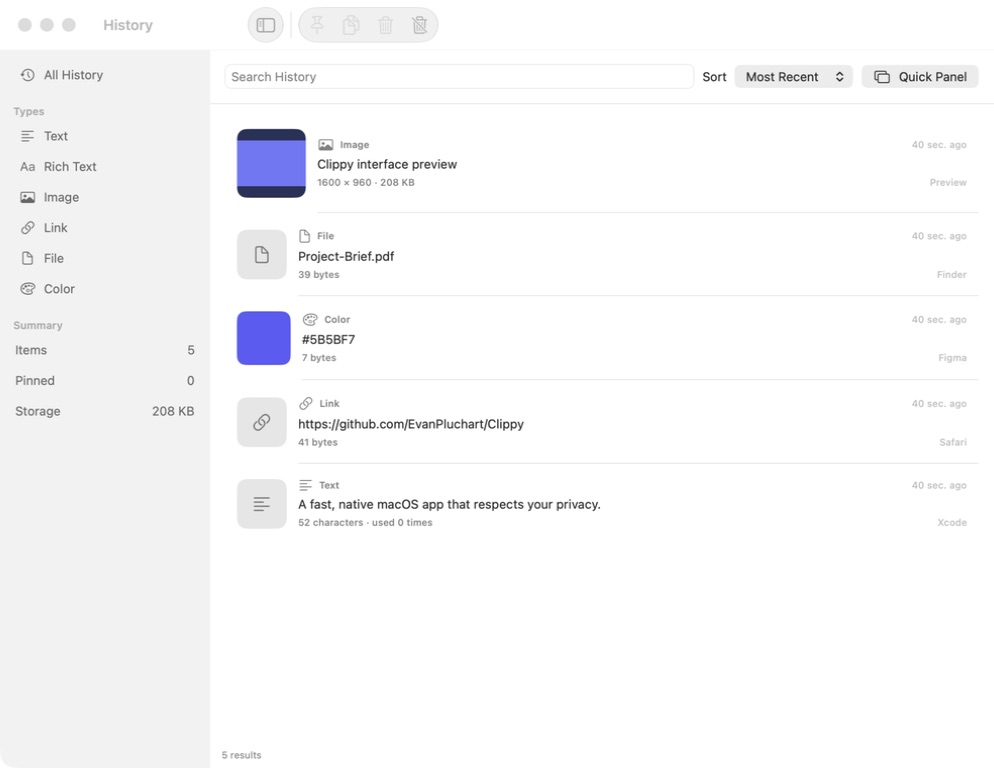
Filter by type, pin important items, and keep storage tidy with retention limits you control.
Make it yours
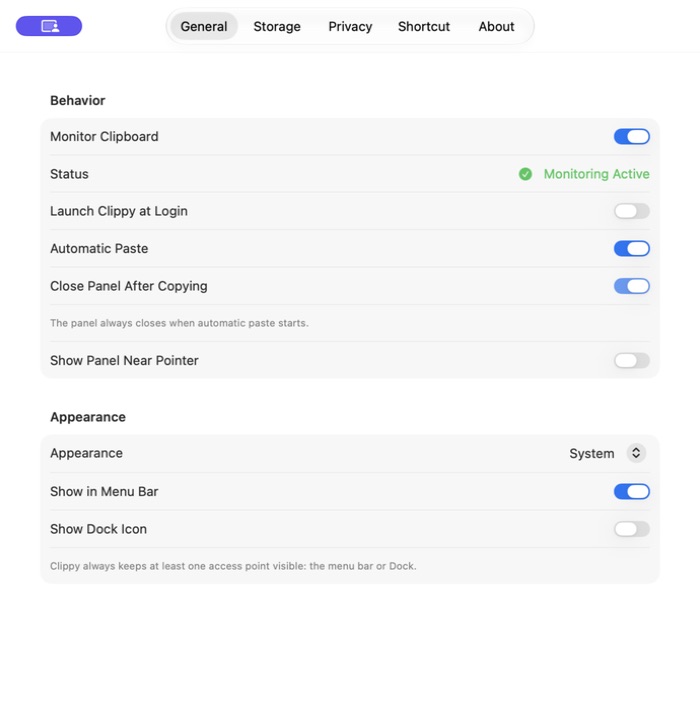
Choose paste behavior, appearance, shortcut, and retention from simple native settings pages.
Local by design
A clipboard can hold personal things. Clippy stores its history locally and gives you control over what remains there.
Verify the source codeInstall, launch, and use it. No sign-up or mandatory cloud sync.
No advertising analytics, profiling, or clipboard content sent to a server.
Remove one item or your entire history directly from the app.
Ready when you are
Pick the method that works for you. Both install the same open-source app.
For everyone. Open the official DMG, then drag Clippy into your Applications folder.
Download coming soonThe DMG is being published.
For Terminal users. Install and update from one command.
brew install --cask EvanPluchart/tap/clippy
The Cask will activate as soon as the DMG is published.
Prefer to build it yourself? Find the instructions on GitHub
Yes. Clippy is free and released under the MIT License. Anyone can inspect, audit, and improve its source code.
It lets Clippy send the paste shortcut to the app you were using after you select an item. Clipboard monitoring and search remain local.
Clippy requires macOS 14 Sonoma or later. It is designed for both Apple Silicon and Intel Macs.
No. Your history is stored on your Mac. This website only checks GitHub when it loads to offer the latest available release.